When this applies
If your payout is paused or delayed, it may be because your bank account requires additional verification (for example, a bank statement).
Where to update bank details
- Log in to your ConvesioPay dashboard.
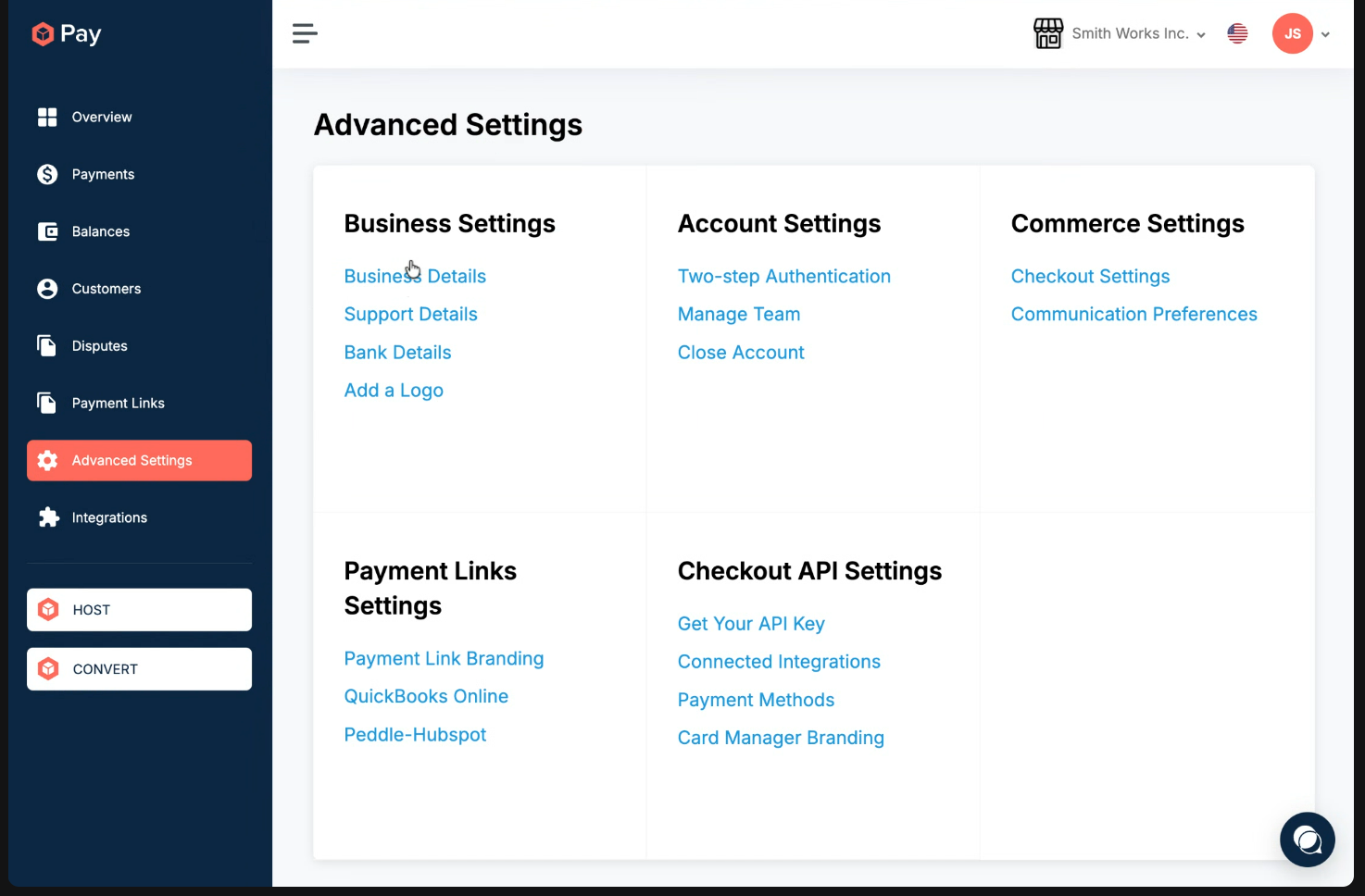
- Go to Advanced Settings.
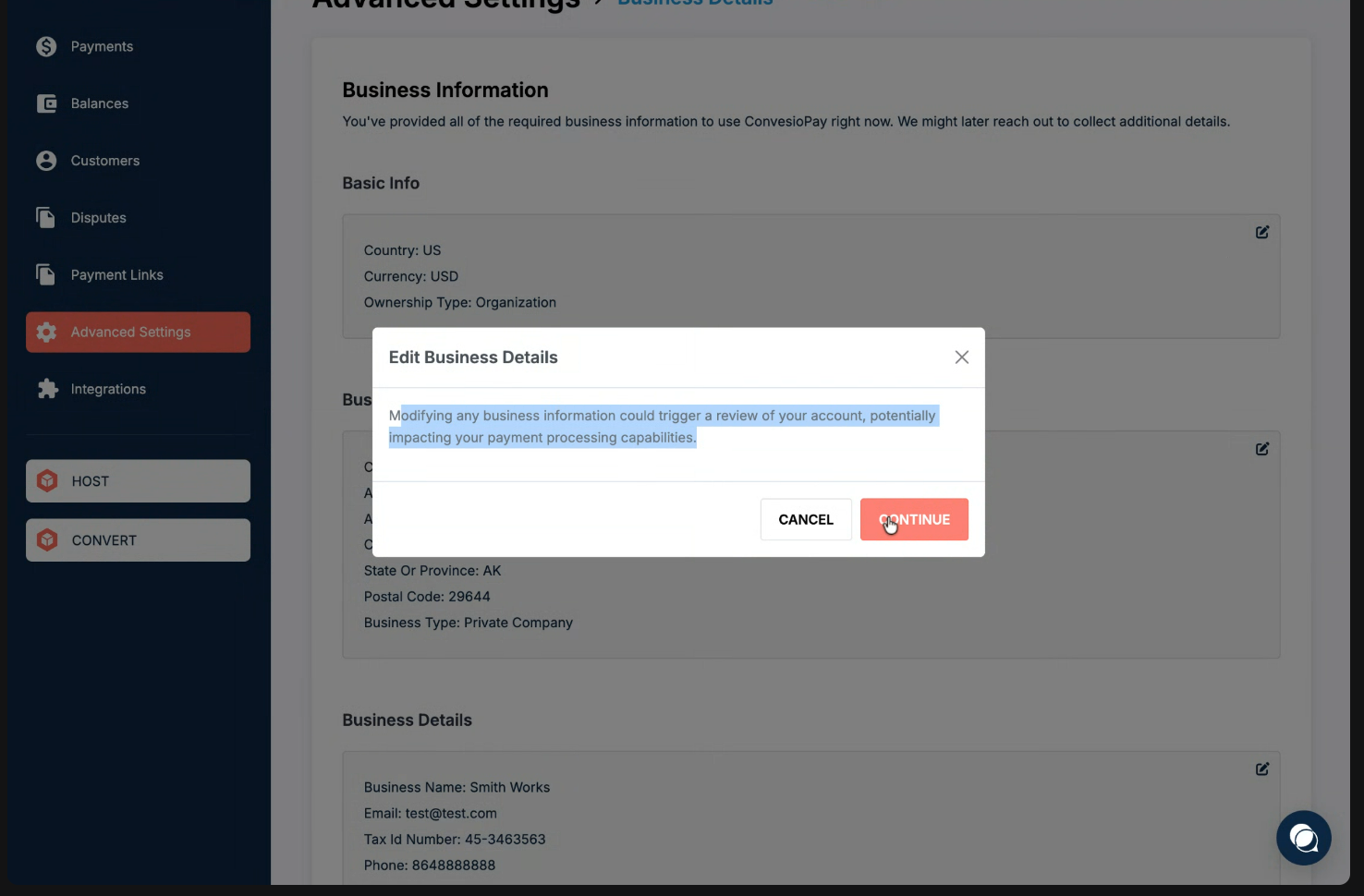
- Select Business Details (any editable section routes to the same flow).
- Click Edit and then Continue to enter the verification flow.
Uploading a bank document
- Navigate to the Bank Accounts section.
- If a document is required, you will see a red validation error.
- Open the bank account entry and upload the requested document (for example, a recent bank statement).
Important notes
- Do not change unrelated business information unless instructed, as this may trigger additional review.
- Once the correct document is uploaded, payouts will resume after verification.