Email Automation WordPress: How to Master It

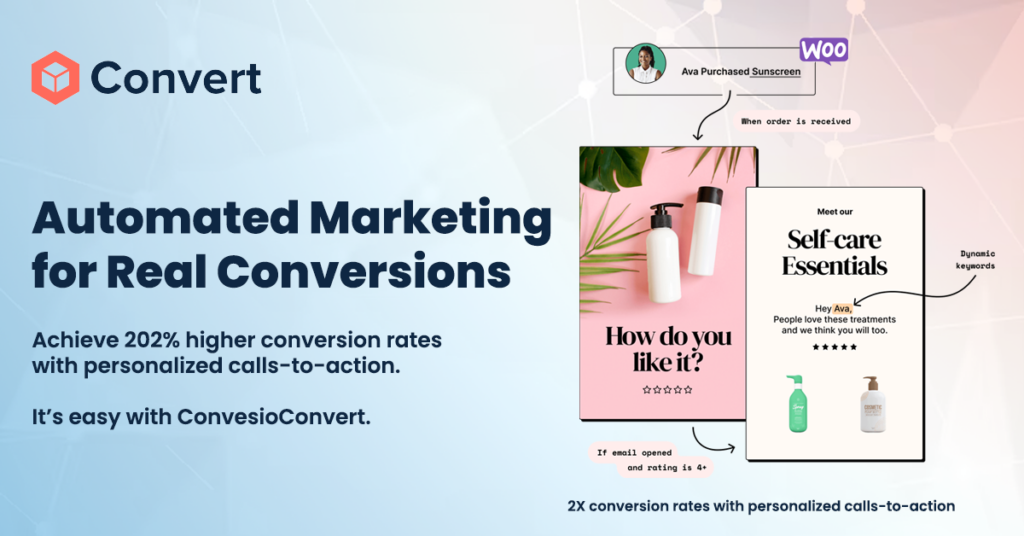
Email automation is like hiring a super-efficient personal assistant who never misses a beat or forgets a task. Imagine being able to greet new subscribers, nudge customers about abandoned carts, or deliver timely updates without lifting a finger. With WordPress, the magic of email automation becomes incredibly accessible and, dare I say, even fun! Various plugins and platforms offer powerful email automation tools that facilitate automated email marketing, allowing you to create complex automation workflows, manage contacts effectively, and execute targeted email campaigns.
Introduction to Email Marketing Automation
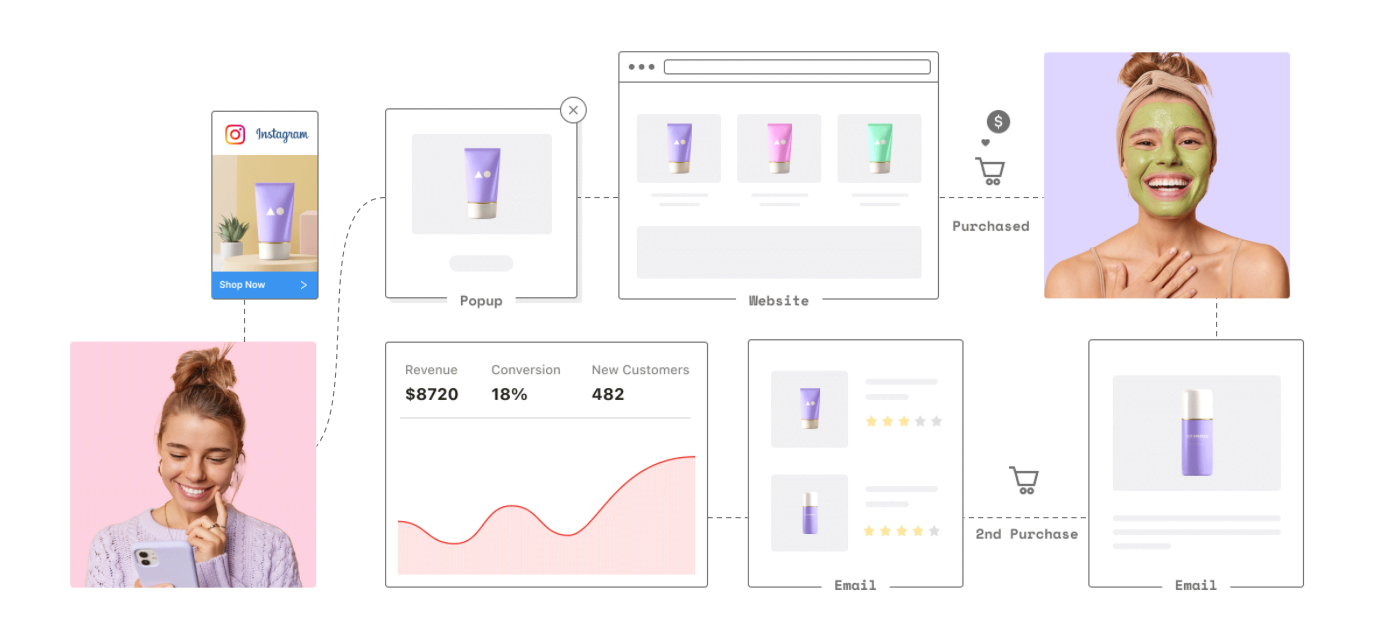
Email marketing automation is a game-changer for WordPress users looking to streamline their marketing efforts and boost efficiency. Imagine having a system that automatically sends out emails and newsletters, allowing you to focus on more strategic activities that drive growth and revenue. With email marketing automation, you can set up software to create and send targeted email campaigns to your customers and subscribers, allowing you to manage and analyze the effectiveness of each email campaign. This includes everything from welcome emails and abandoned cart reminders to personalized promotional messages. By leveraging the right email marketing plugin, WordPress users can effortlessly automate their email marketing campaigns and achieve remarkable results.
Why Bother with Email Marketing Automation?
Think about your inbox. Imagine manually sending a thank-you email every time someone subscribes or tries a new product. Exhausting, right? That’s where email automation steps in, saving you time and ensuring every subscriber feels valued. Organizing contact data can further enhance the effectiveness of your email campaigns by enabling more targeted and personalized communication.
Let’s say you’re running a WordPress site for your cooking blog. You set up an automated email to deliver a recipe to new subscribers right after they sign up. No need to be glued to your screen—just relax and let automation handle it. Additionally, the ability to manage unlimited contacts allows for efficient email marketing by organizing contacts into lists and tags, and bulk importing from various sources.
Benefits of Email Marketing Automation for WordPress Users
The advantages of email marketing automation for users in WordPress are numerous and impactful. One of the most significant benefits is the ability to save time and increase efficiency. By automating repetitive tasks, businesses can free up valuable resources and concentrate on more strategic activities. Email marketing automation also enables personalized and targeted marketing campaigns, which can lead to higher conversion rates and increased revenue. Moreover, it provides valuable insights and analytics, allowing businesses to track the performance of their campaigns and make data-driven decisions. With email marketing automation, WordPress users can enhance customer engagement and retention, paving the way for long-term growth and success.
How Does It All Work?
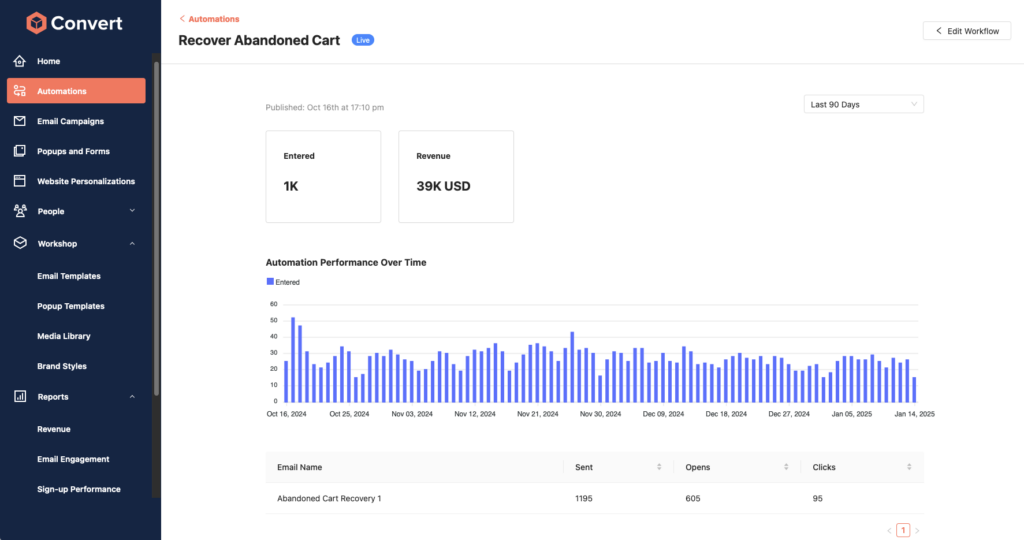
In simple terms, email automation involves setting up email automation workflows, which are sequences or “flows” of emails triggered by specific actions. The real genius? These flows work around the clock, connecting with people at just the right moments.
Example: Have you ever received an email reminding you to come back to your cart when you didn’t complete a purchase? That’s a prime example of an automated email trigger!
Getting Started with Email Automation in WordPress Dashboard
Here’s the quick-start guide:
- Choose Your Plugin: Start with a WordPress plugin like ConvesioConvert that integrates email features seamlessly. Many plugins offer free versions with basic capabilities to get you rolling without a budget commitment. Navigate through the WordPress dashboard to install and activate your chosen plugin.
- Define Your Goals: What do you want from your emails? Whether it’s higher sales, better engagement, or stronger community ties, knowing your goal helps you design flows that matter.
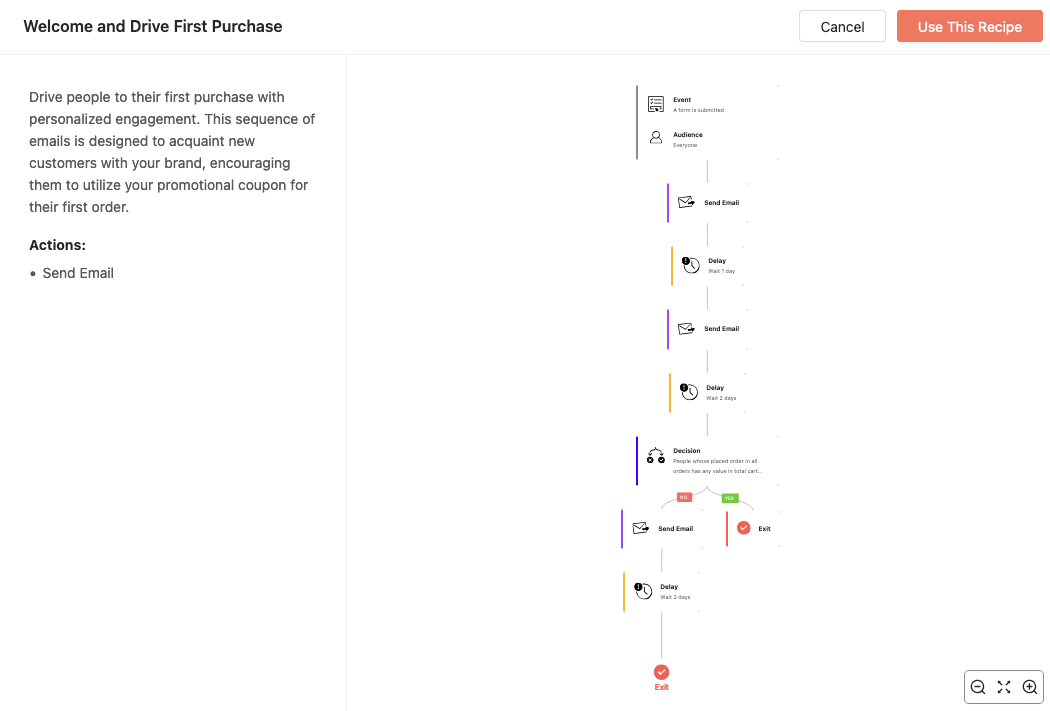
- Set Up Triggers: Triggers are the specific actions that prompt emails. For instance, a welcome email after someone subscribes or a follow-up email for an abandoned cart. To ensure proper email deliverability.
- Craft Engaging Content: This is where you speak directly to your reader. Imagine having a friendly chat—keep the tone warm, casual, and engaging.
Choosing the Right Email Marketing Plugin for Your WordPress Site
Selecting the right email marketing plugin for your WordPress site is crucial for effective email marketing automation. With a plethora of options available, it can be daunting to choose the best one. When evaluating plugins, consider factors such as ease of use, features, scalability, and integration with other tools and services. Look for a plugin that offers a user-friendly interface, advanced features like automation workflows and segmentation, and seamless integration with other WordPress plugins and services. Additionally, take into account the plugin’s reputation, customer support, and pricing. By choosing the right email marketing plugin, Users in WordPress can ensure efficient email marketing automation and achieve superior results.
Transform Your WordPress Site with Email Automation – Effortless Engagement, Powered by Convesio
Imagine reaching every subscriber at the perfect moment without lifting a finger. With WordPress email automation, you can do just that! Set up welcome emails, abandoned cart reminders, and more, all tailored to engage your audience 24/7. And it gets even better: Convesio’s all-in-one hosting, payment, and email marketing solutions give you the power to keep things running smoothly behind the scenes. It’s seamless, it’s simple—and it’s time to elevate your WordPress game. Ready to build lasting connections with less hassle? Start automating with Convesio today!
Building Funnels and Planning Email Automations
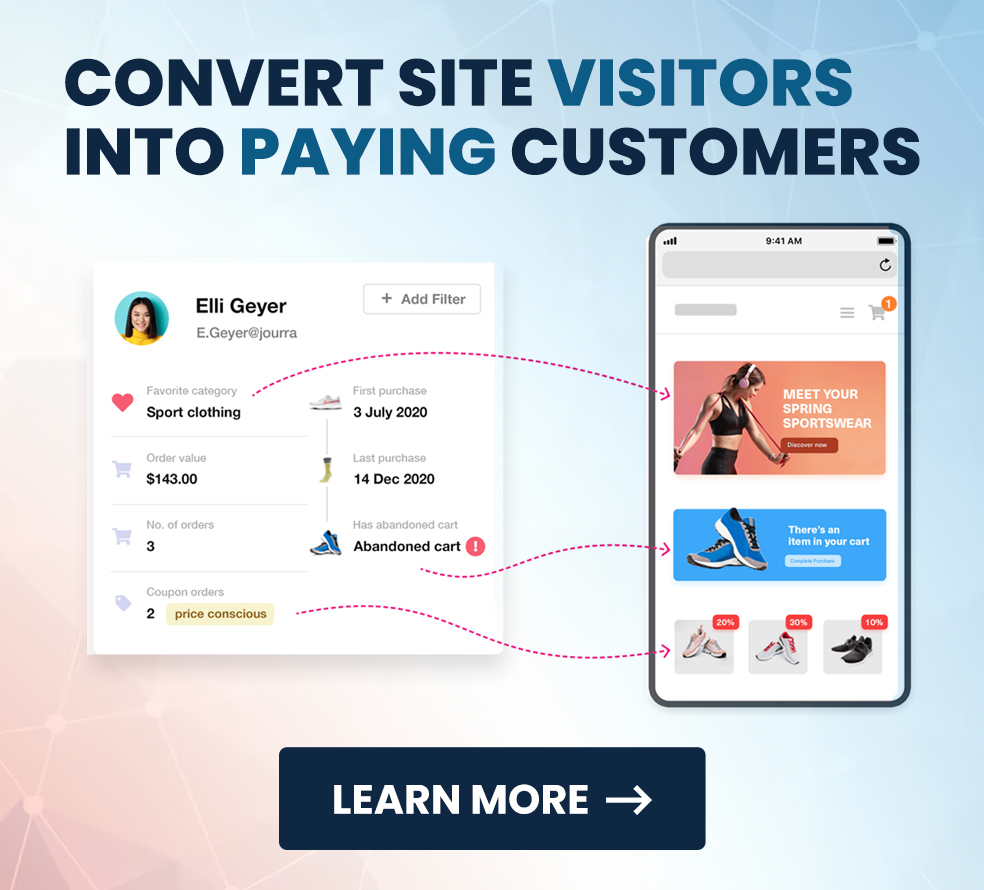
Building funnels and planning email automations are crucial steps in creating effective email marketing campaigns. Think of a funnel as a roadmap guiding your audience from their first interaction with your brand to becoming loyal customers. With the right tools, WordPress users can create complex funnels and automate email sequences to engage with their audience effortlessly.
When building funnels, it’s essential to consider the user’s journey and create a seamless experience. This can be achieved by setting up automated email campaigns that trigger based on user actions, such as signing up for a newsletter or making a purchase. By planning email automations, you can create personalized email campaigns that cater to your audience’s needs and preferences.
Managing Leads and Email Lists
Managing leads and email lists is a critical aspect of email marketing automation. Think of it as organizing your contacts into neat, actionable segments that allow you to send the right message to the right person at the right time. With the right tools, WordPress users can collect, organize, and segment their leads to create targeted email campaigns.
When managing leads, it’s essential to ensure that the data is accurate and up-to-date. This can be achieved by using email automation tools that offer real-time updates and synchronization with other apps and services. By managing leads and email lists effectively, WordPress users can create personalized email campaigns that cater to their audience’s needs and preferences.
Automated Email Campaigns in Action: Bringing It to Life
Think of email automation as being part of an exclusive club where everyone’s in sync. You’re on the same page, building real connections even as automation runs in the background.
An effective email campaign can significantly enhance customer engagement and retention, making each subscriber feel valued and connected to your brand.
Including an unsubscribe link in your automated emails is crucial to comply with regulations and maintain user trust.
Pro Tip: Keep your email series short and sweet. People get a lot of emails, so make yours worthwhile. A quick “Thanks for subscribing!” or “We missed you—come back anytime!” goes a long way.
Email Marketing Automation for WooCommerce
Email marketing automation is a powerful tool for WooCommerce stores, allowing users to automate email campaigns and enhance customer engagement. Imagine having a system that automatically sends follow-up emails to customers who made a purchase or reminds those who left items in their cart to complete their purchase. With the right tools, WooCommerce users can create targeted email campaigns that cater to their audience’s needs and preferences.
When using email marketing automation for WooCommerce, it’s essential to consider the user’s journey and create a seamless experience. This can be achieved by setting up automated email campaigns that trigger based on user actions, such as making a purchase or abandoning a cart. By using email marketing automation, WooCommerce users can create personalized email campaigns that cater to their audience’s needs and preferences.
Cart Abandonment and Email Marketing Automation
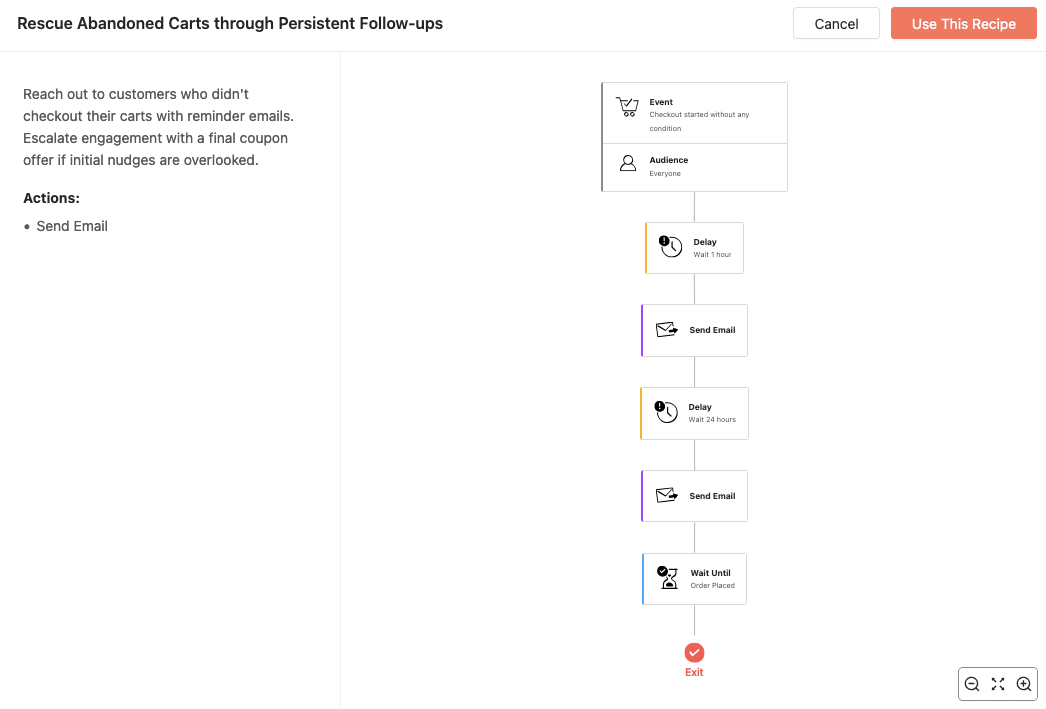
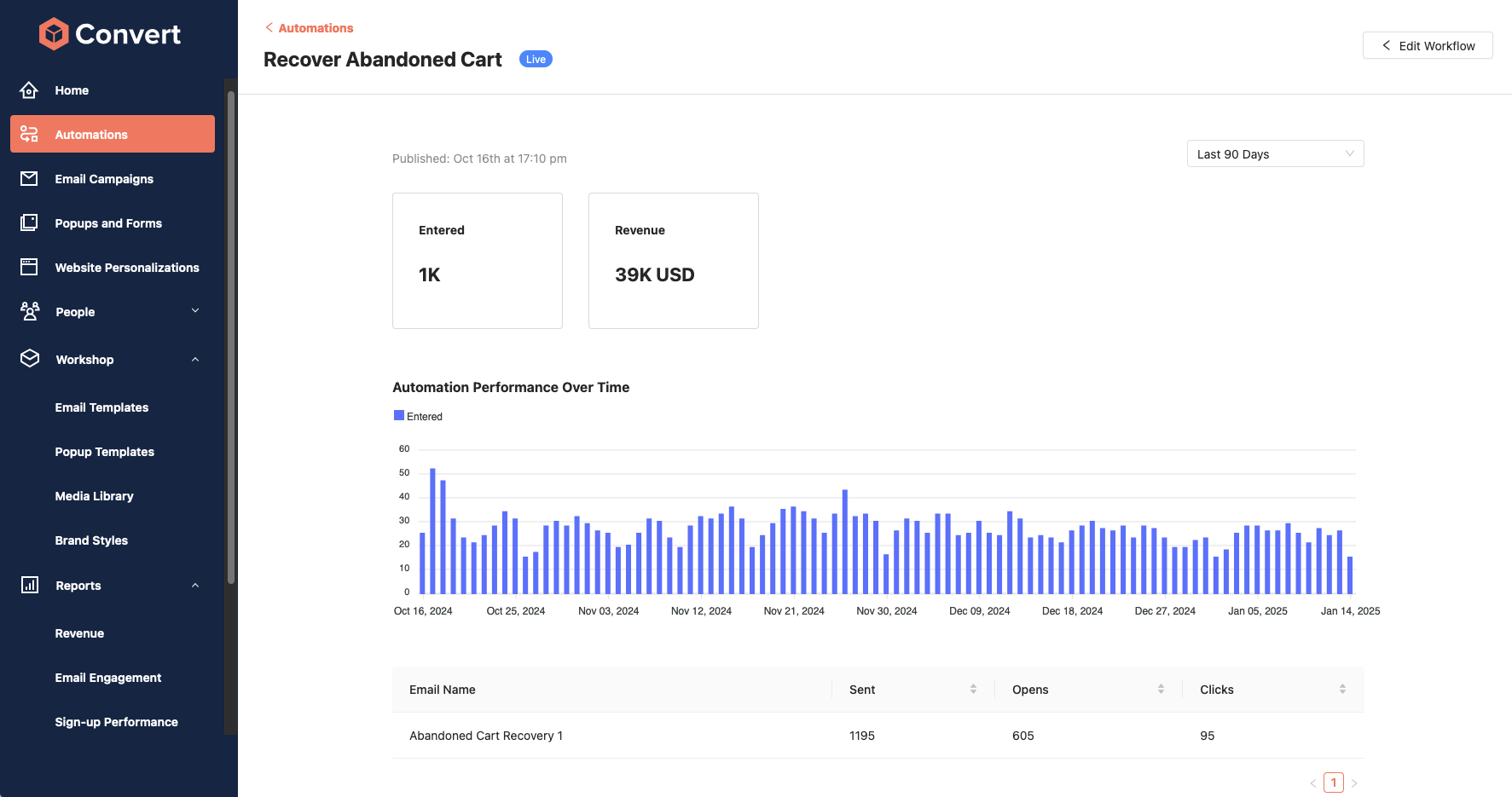
Cart abandonment is a common issue for eCommerce stores, with many customers abandoning their carts without making a purchase. But don’t worry—email marketing automation can help recover those lost sales and enhance customer engagement. With the right tools, WordPress users can create targeted email campaigns that cater to their audience’s needs and preferences.
When using email marketing automation for cart abandonment, it’s essential to consider the user’s journey and create a seamless experience. This can be achieved by setting up automated email campaigns that trigger based on user actions, such as abandoning a cart. By using email marketing automation, WordPress users can create personalized email campaigns that cater to their audience’s needs and preferences.
Common Pitfalls (and How to Avoid Them)
- Avoid Overwhelming with Emails: Picture it—you’re excited to try a new app, but suddenly, you’re bombarded with emails. Annoying, right? Your subscribers feel the same. Keep your cadence gentle and respectful.
- Personalization Overload: Yes, personalized emails are fantastic. But if every sentence mentions the person’s name, it can feel odd. Use personalization sparingly for maximum impact.
- Check Your Content Regularly: Automation doesn’t mean “set it and forget it.” If you’re linking to content, make sure it’s still relevant. After all, we’ve all clicked on an outdated email link and scratched our heads in confusion!
How Can Email Automation Build Community?
When used well, automated emails make each subscriber feel part of a shared journey. Don’t be shy—add a little humor, ask for feedback, or share a personal story. These small touches can make automation feel less robotic and more like a friendly chat.
Example: “Hey! Our recent recipes newsletter is out. What do you think? Got any tweaks or tips? We’d love to hear!”
The Power of Timing: Getting it Just Right
There’s a sweet spot with timing. An email sent at just the right moment can be a game-changer, while one sent at the wrong time might go unnoticed. The timing of an email marketing campaign can significantly impact its success and engagement rates. Many plugins allow you to schedule emails based on user behavior. So, try a little testing—experiment with different send times and see what works best.
Using AI to Revolutionize Email Marketing
Artificial intelligence (AI) is transforming email marketing by enabling businesses to create highly personalized and targeted campaigns. With AI-powered email marketing tools, Users in WordPress can analyze customer data and behavior to craft automated email campaigns that truly resonate with their audience. AI can also optimize email subject lines, content, and sending times, enhancing open rates, click-through rates, and conversion rates. Furthermore, AI-powered tools can automate repetitive tasks such as email segmentation and lead scoring, freeing up resources for more strategic activities. By harnessing the power of AI in email marketing, Users on WordPress can elevate their email marketing campaigns and achieve outstanding results.
Ready to Start? Just Take It One Step at a Time
Automation for Emails in WordPress doesn’t need to be overwhelming. Start with the basics—a welcome email here, an update there. Before you know it, you’ll have a setup that’s working harder than your morning coffee!
Various email automation tools are available to help beginners get started with ease, offering features like drip marketing and user-friendly interfaces to streamline the email marketing process.
Open Question: What’s one email you’d love to automate on your site? Is it a welcome, a thank you, or maybe something totally unique? Share your ideas and see what automation can do for you!
With WordPress Automation for Emails, you’re not just sending emails; you’re crafting an experience. So take a deep breath, jump in, and watch your community grow—one automated message at a time.
FAQs
What exactly is email automation in WordPress?
Email automation in WordPress is a process where emails are automatically sent to users based on specific actions they take on your website. It’s like having a virtual assistant send timely, relevant messages to each subscriber without you having to press “send” every time.
Why should I use email automation for my WordPress site?
Email automation saves you time and effort, ensuring that every new subscriber, customer, or visitor gets a personal touch. Whether it’s welcoming new subscribers or reminding customers of items left in their cart, automation keeps your audience engaged without manual follow-up.
What are some common automated emails I can set up?
Great options include:
- Welcome Emails for new subscribers
- Abandoned Cart Reminders for WooCommerce stores
- Thank-You Emails after a purchase or action
- Birthday or Anniversary Emails to make subscribers feel valued
How do I set up an automated email sequence?
Start by choosing a WordPress plugin that supports automation. Create a trigger event (e.g., a new subscriber joins), set the timing for each email, and craft messages that are helpful and relevant to the recipient.
Will my subscribers feel like they’re getting ‘robotic’ emails?
When done right, email automation can feel natural and personal. Add a touch of humor, share a story, or ask for feedback to keep messages engaging and avoid that “robotic” feel.
How often should I review my automated emails?
Review them every few months to ensure the content is still relevant. Updating links, adjusting tone, and refreshing your calls-to-action will keep your automated emails feeling fresh and current.
Can I automate emails without coding skills?
Yes! Most WordPress email automation plugins are beginner-friendly and designed for users without technical skills. Simply install the plugin, follow the setup prompts, and start creating your email sequences.
What are the best practices for timing my automated emails?
There’s no one-size-fits-all answer, but testing is key. Experiment with different timings and check your analytics to find when your audience is most engaged. For example, sending a follow-up within 24 hours of a cart abandonment can improve chances of a completed purchase.
How can I personalize automated emails?
Many plugins let you include the subscriber’s name or reference their specific actions (like products they viewed). Small touches like these make emails feel more personal and engaging.
What should I avoid with email automation?
Avoid sending too many emails or overly repetitive messages, as this can lead to unsubscribes. Keep your emails concise, relevant, and spaced out for a better subscriber experience.
How does email automation benefit my business?
It frees up your time, keeps subscribers engaged, and builds stronger relationships. Automation lets you respond to customer actions immediately, creating a consistent and thoughtful experience.
What are the benefits of using email automation workflows?
Email automation workflows simplify the creation and management of email campaigns based on user actions and triggers. This functionality makes the process more efficient for marketers and funnel creators, ensuring timely and relevant communication with subscribers.