Connect ConvesioPay to your HubSpot account via Peddle to send invoices and accept credit card payments directly inside your HubSpot CRM — without leaving your sales workflow.
Before you start
You will need:
- A ConvesioPay account (merchant account active and verified)
- A HubSpot account managed through a Peddle agency
- Admin access to your ConvesioPay dashboard
Note: This integration requires a Peddle agency-powered HubSpot installation. If you’re not sure whether your HubSpot account qualifies, contact your Peddle agency or Convesio support.
How it works
Once enabled, ConvesioPay connects to your Peddle-powered HubSpot installation. You can:
- Send branded payment requests directly from HubSpot deals and contacts
- Accept credit card payments without leaving your CRM
- Track payment status alongside your HubSpot sales pipeline
Step 1: Enable the integration in ConvesioPay
- Log in to your ConvesioPay dashboard.
- Go to Integrations.
- Find Hubspot (Peddle) and click View Integration.
- On the settings page, click Enable Integration.
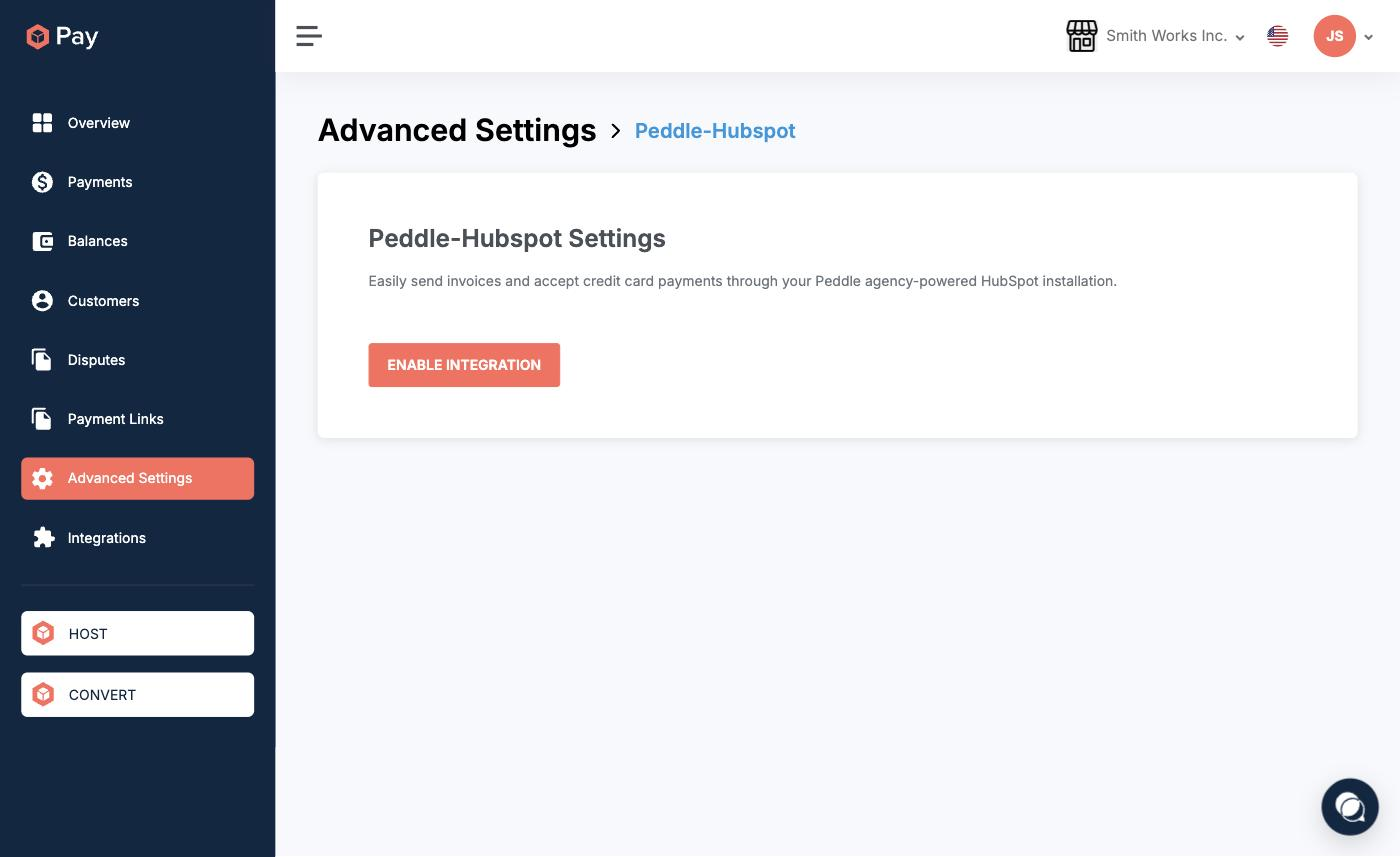
You’ll be redirected to authorize the connection. Follow the on-screen prompts to link your Peddle-powered HubSpot account.
Step 2: Send a payment from HubSpot
Once connected:
- Open a deal or contact in HubSpot.
- Use the ConvesioPay payment action (added by Peddle) to create a payment request.
- Enter the amount and any relevant details.
- Send the payment link to your customer via email or copy it to share manually.
Step 3: Confirm payment
Once your customer pays:
- ConvesioPay records the transaction in your activity log.
- Payment status updates in HubSpot alongside the deal or contact record.
Troubleshooting
“Enable Integration” button does nothing or redirects to an error
- Confirm your HubSpot account is managed through a Peddle agency. This integration is not available for standard HubSpot accounts.
- Contact your Peddle agency to confirm the integration is provisioned for your account.
Payment action not appearing in HubSpot
- The Peddle app may need to be installed or updated in HubSpot. Contact your Peddle agency admin.
Payment completed but not reflected in HubSpot
- Check the transaction in ConvesioPay’s activity log to confirm it shows Completed.
- If it’s Completed but HubSpot hasn’t updated, disconnect and reconnect the integration from Advanced Settings → Peddle-Hubspot Settings.