Where to find notification settings
- Log in to your dashboard.
- Navigate to Communication Preferences.
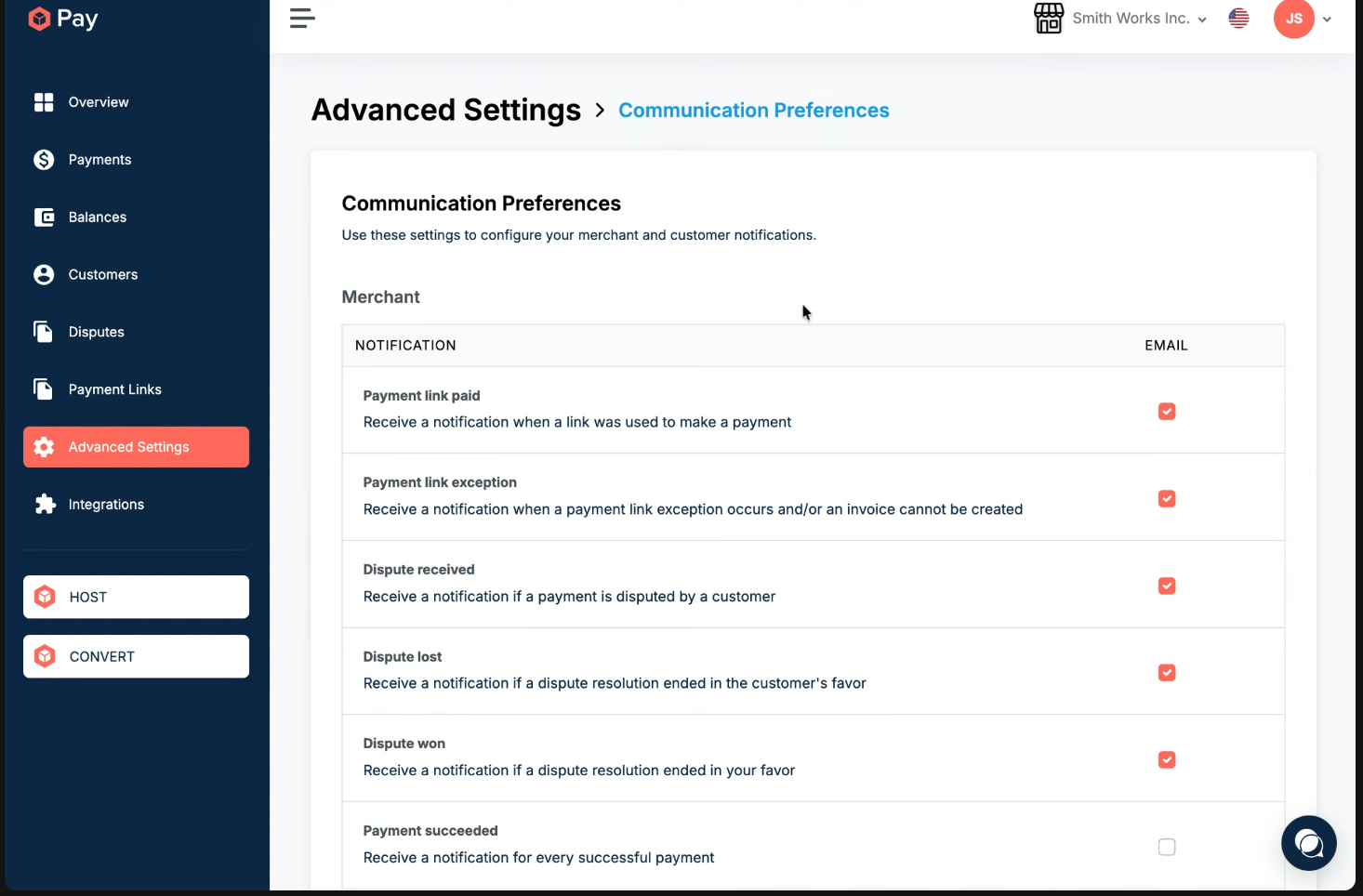
What you can control
- Dispute notifications (won/lost)
- Payment success and failure emails
- Other operational alerts
Important limitation
- Notifications are sent only to the primary account email address.
- You cannot currently route specific notifications (for example, disputes) to different team members.
Future considerations
- Custom notification routing is a planned improvement but is not yet available